

Jira integration
Jira integration
Jira Integration

Integrate Monitor360 with Jira

Sync Jira issues, projects, and tasks directly into Monitor360 for accurate employee monitoring and productivity tracking.

No manual timesheets.
No missed meetings.
No complex setup.
Integration Benefits

Why Integrate Monitor360 With Jira?

Integrate Monitor360 with Jira to connect task management with real employee activity tracking. This integration turns Jira issues and workflows into real-time productivity insights automatically.

1. Automatic Jira Time Tracking

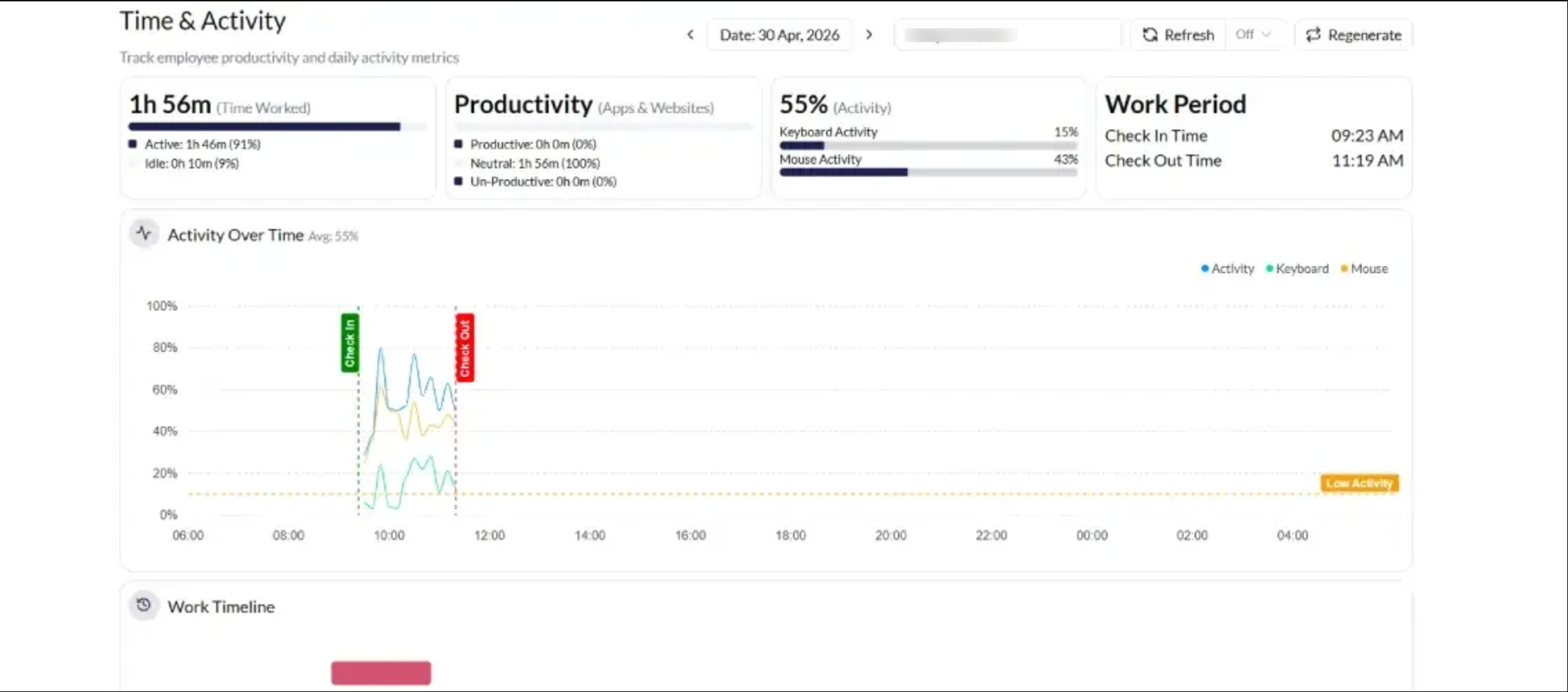
Jira tasks are automatically linked with employee activity in Monitor360. Work hours are tracked in the background without manual input, ensuring every issue reflects real effort spent.

project management dashboard

2. Accurate Task-Level Tracking

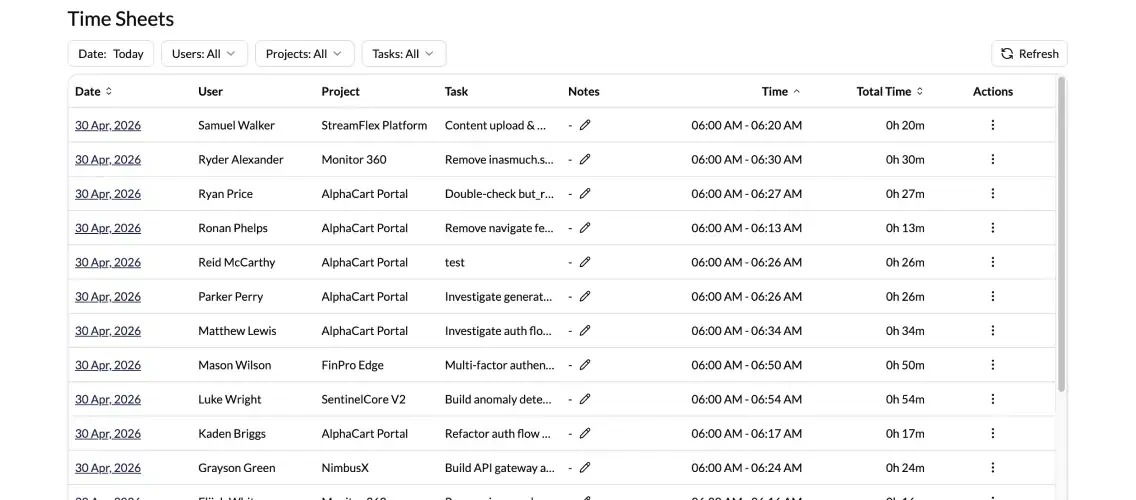
Monitor360 records time spent on each Jira issue with precision. Managers can compare estimated vs actual effort to improve planning and delivery accuracy.

Employee Task Tracking

3. Smart Project and Sprint Tracking

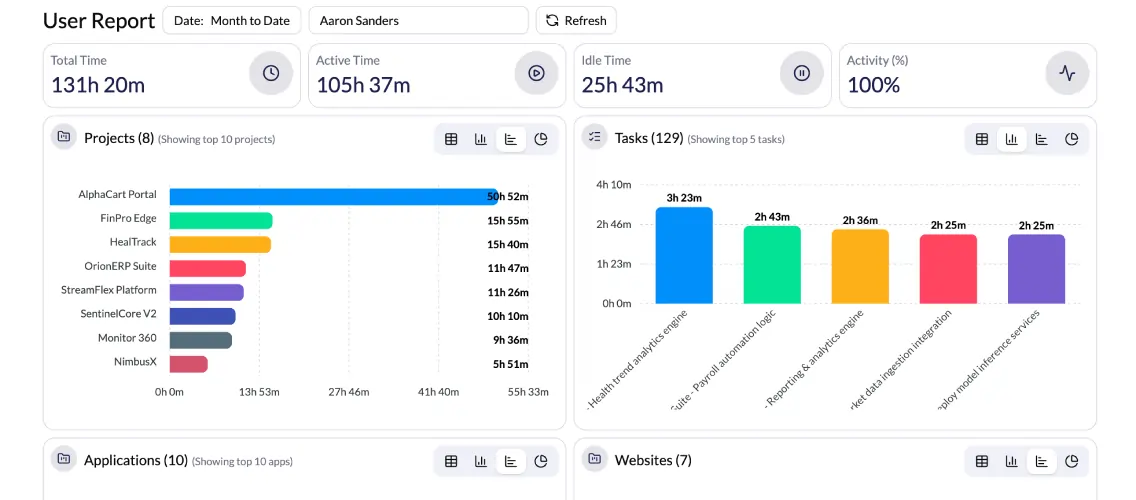
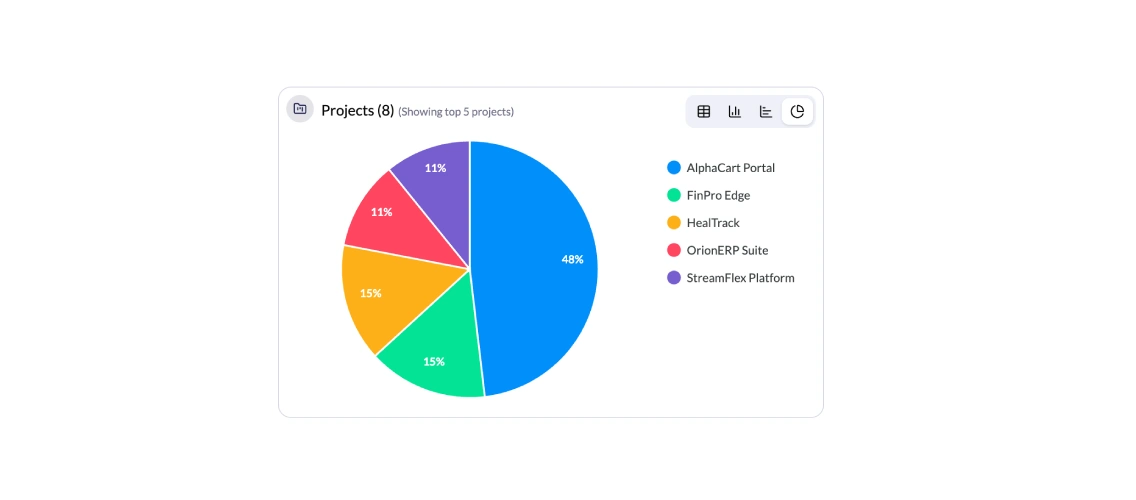
Sync Jira projects, epics, and sprints with Monitor360. Track progress across development cycles and identify delays, workload imbalance, and bottlenecks easily.

Employee Project and Sprint Tracking

4. Real-Time Productivity Insights

Monitor360 combines Jira task data with live employee activity. View active time, idle time, and productivity metrics alongside ongoing project work for complete visibility.

Employee Productivity monitoring
Key Features

Monitor360 + Jira: monitor360-icon One System for Work Tracking and Productivity Insights

Connect Jira with Monitor360 to combine project management with real-time employee monitoring. Manage tasks in Jira while gaining clear visibility into how work is actually being performed.

This integration helps teams move beyond task updates and understand real productivity across projects in one unified system.

Feature
Jira Only
With Monitor360
+ Jira

Task Management

Manage and assign tasks

Manage tasks with real-time activity tracking

Time Tracking

Manual or basic tracking options

Automatic and accurate work tracking

Work Visibility

Task status-based view

Real-time work activity linked to tasks

Productivity Insights

Limited or no insights

Detailed productivity and performance insights

Work Verification

No work validation

Clear visibility into actual work activity

App & Activity Tracking

Not available

Tracks work-related activity during tasks

Reporting

Basic project reports

Advanced productivity and work reports

Team Monitoring

Limited visibility

Real-time team activity overview

Smart Monitoring

Smarter Project Management Meets Real-Time Employee Monitoring

Connect Monitor360 with Jira to bring task management and employee activity tracking into one connected system. Sync Jira issues, projects, and workflows to enable accurate time tracking without manual effort. Plan your work in Jira and monitor real work activity in one simple dashboard.

Project management with employee monitoring software
Key Benefits

Monitor360 Advantage quickbook integration Monitor360 With quickbook integration Jira Integration

Integrating Monitor360 with Jira gives teams complete visibility into how work is actually being done. From task execution to productivity insights, everything is tracked in real time for better decision-making and performance management.

employee monitoring with Jira integration

Automatic Jira Task Tracking

Every Jira issue is automatically linked with employee activity in Monitor360. Work hours are tracked in real time without manual logging, ensuring accurate task-level insights.

Real-Time Productivity Visibility

Monitor team performance as work happens. Monitor360 shows active time, idle time, and productivity levels alongside Jira tasks for complete transparency.

Task-Level Work Insights

Understand exactly how much effort is spent on each Jira issue. Compare planned vs actual work time to improve sprint planning and future estimates.

App and URL Usage Tracking

See which tools and platforms are used while working on Jira tasks. This helps ensure focus and aligns work behavior with project goals.

Better Project Planning and Control

Use real productivity data from Monitor360 to optimize Jira workflows, balance workloads, and improve overall project delivery efficiency.

How It Works

How Monitor360 Integration Works

Learn how Monitor360 connects with Jira to sync tasks, track employee activity, and provide real-time productivity insights across your projects.

1

Connect Your Jira Account

Link your Jira workspace with Monitor360 using secure integration settings. This enables seamless data flow between tasks and employee activity tracking.

2

Sync Projects and Issues

Import Jira projects, epics, and issues into Monitor360. Team members are automatically mapped so tracking starts without manual setup.

3

Start Tracking Work Activity

As your team works on Jira tasks, Monitor360 automatically captures time spent, activity levels, and work patterns in real time.

4

View Insights in One Dashboard

Access all productivity data in a centralized Monitor360 dashboard. Track performance, analyze task progress, and improve team efficiency with clear, actionable reports.

How employee monitoring works
Best Suited For

Who Should Use Monitor360 With Jira?

Integrating Monitor360 with Jira is ideal for teams that manage tasks, sprints, and structured project workflows and need clear visibility into real work activity.

Transforming Businesses with Next-Gen Solutions

Our next-generation solutions are built to transform businesses and drive growth in the digital era.

Find Us

530, West Gate 2,
Ayodhya Chowk, 150 Feet Ring Road Rajkot, Gujarat 360006.

Find Us

131 South End, Croydon England CRO 1BJ,
United Kingdom

Contact No.

HR : +91 90232 46069
Sales : +91 93288 25451

Contact No.

Sales : +44 07562 893296

Reach Us Read Blog Contact Us Submit Support Ticket Watch Video Tutorial