


See Time Spent by Each Agent on Freshdesk Tickets
Track time your team spends on Freshdesk tickets. See screenshots and activity levels during work and generate custom reports for download or email.
100% Automated — no manual timesheets needed
Per agent Ticket-level time breakdown for every team member
Real-time Live dashboards synced with your Freshdesk workspace
Why Freshdesk Time Tracking Matters
Customer support teams handle dozens or even hundreds of tickets daily. Without proper time tracking, it becomes difficult to understand how long agents spend on each issue or how efficiently your support team operates.
With Monitor360’s Freshdesk integration, you can:
-
Track time spent on every ticket automatically
-
Understand agent workload and productivity
-
Improve SLA compliance and response efficiency.
-
Gain visibility into support operations
Key Features  of Monitor360 +
  Freshdesk Integration
Monitor360 fills gaps in Freshdesk’s built-in time tracking. It delivers automated tracking with agent-level and ticket-level precision.

Ticket-Level Time Tracking
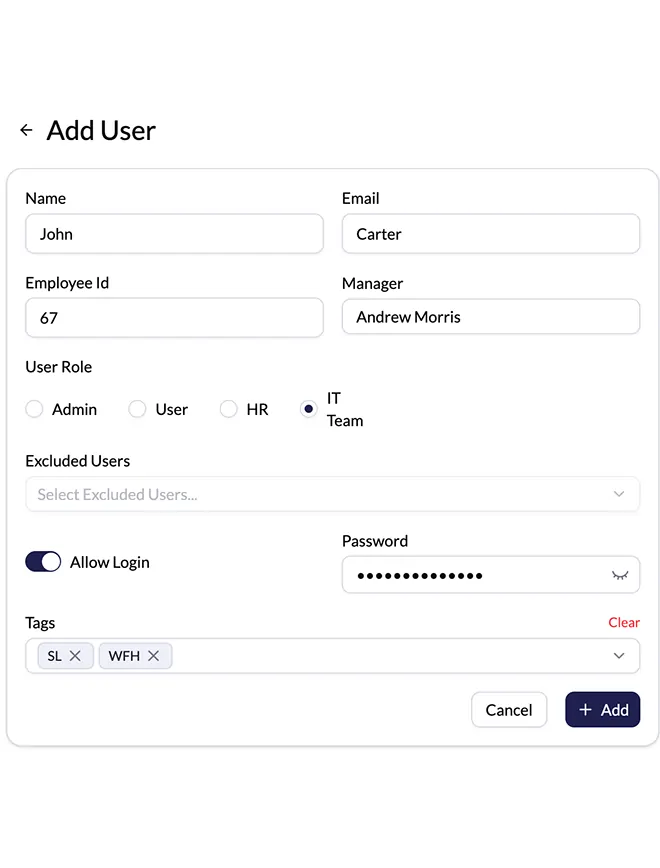
Monitor360 shows all assigned Freshdesk tickets as task-level items for each agent. Agents open tickets, view full details, and start tracking time while working. After resolution, they close the ticket in Monitor360 and sync it back to Freshdesk, which logs exact time per agent automatically.
Sync Freshdesk Tickets in Monitor360
Sync all Freshdesk tickets into Monitor360 with a single click. View real-time ticket details inside the system. Agents open each ticket as a task and start tracking time while working. When work finishes, they stop the task and Monitor360 records accurate time per ticket and per agent automatically.
Reporting and Analytics
All time tracked on Freshdesk ticket resolutions flows into automated reports in Monitor360. View real-time dashboards with team activity insights. Filter by user and date for exact work records. Schedule reports and get them directly sent to your email for faster billing with proof of work time.
How Monitor360  With Freshdesk Time
  Tracking Works
Getting started is easy. Follow these simple steps to start tracking and optimizing your support workflow:
Connect Your Accounts
Link your Freshdesk account with Monitor360 securely in just a few clicks.
Automatic Time Tracking
Monitor360 automatically logs the time each agent spends on ticket resolution without any manual effort.
View Insights & Reports
Access detailed dashboards and productivity reports directly in Monitor360.
Optimize & Improve
Use actionable data to streamline workflows, improve ticket resolution times, and increase team efficiency.
See Time Spent By Agents  On Each Zendesk Ticket With Screenshots
Get a Clear Insights

Deliver Better Support  With Monitor360 + Freshdesk
Improve support operations with real-time ticket tracking, accurate time logging, and clear visibility into agent performance across every Freshdesk workflow.
Centralized Ticket Access
View all assigned Freshdesk tickets inside Monitor360 with full task-level details for faster handling.
Automated Time Capture with Screenshot
Track ticket time automatically without manual input. Screenshots run in the background to provide proof of work and activity during each session.
Team Performance Tracking
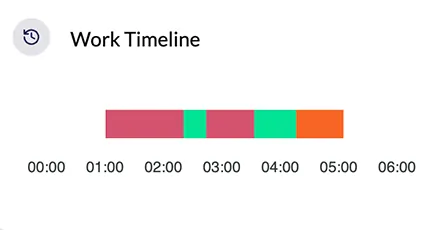
Monitor agent activity, screenshots, productivity levels, and idle time for clear performance visibility.
Advanced Reporting and Analytics
Generate detailed reports on ticket time, workload distribution, response efficiency, and team output for better decision making.
Who Should Use This Monitor360’s Freshdesk Integration
Whether you run a 5-person help desk or a 200-agent contact centre, Monitor360 scales with your Freshdesk setup.
Support Managers
Get honest data on agent workload and time allocation — without asking agents to self-report.
IT Helpdesk Teams
Track resolution time by issue type and identify where your team loses the most hours.
Remote Support Teams
Centralized visibility across distributed agents, no VPN, no micromanagement needed.
Agencies with Client SLAs
Report billable support hours per client account with precision, straight from Monitor360.
Common Questions  on Tracking Time in Freshdesk
Quick answers to common questions about tracking time in Freshdesk for support teams.
Freshdesk allows agents to manually log time against individual tickets, but it does not support automatic tracking, agent-level reporting, SLA time correlation, or productivity dashboards. Monitor360 provides all of this on top of your existing Freshdesk workspace.
Once Monitor360 is connected to Freshdesk, you can view a per-agent breakdown of every ticket they worked on, how long they spent on each one, their idle periods, and their overall activity score, all from a single dashboard.
It is fully automatic. Monitor360's desktop agent detects when a Freshdesk ticket is the active window and begins logging time against that ticket ID. Agents do not need to interact with it at all.
Yes. Monitor360 is purpose-built for distributed teams. You get real-time visibility into what each remote agent is working on, how long they have been active, and whether their time aligns with assigned tickets.
Absolutely. You can filter time reports by ticket group or tag, making it straightforward to export billable hours per client account at any interval you choose.
The desktop tracking agent runs on Windows and macOS. Browser-based access to the dashboard works on any modern browser, no installation required for managers and admins.
 Freshdesk Tracking to See Exactly Where Your Team's
  Time Goes